

The Best Places on Your Shopify Store to Capture Email Addresses
Building an email list is one of the best long-term investments a Shopify store can make. Email is the channel you own. You're not at the mercy of algorithm changes or ad costs. When you want to reach your customers, you can.
But most stores put all their energy into one or two sign-up spots and leave a lot of opportunities untouched. Here's a look at the best places across your store to capture email addresses — including some that most people overlook.
Popup on First Visit
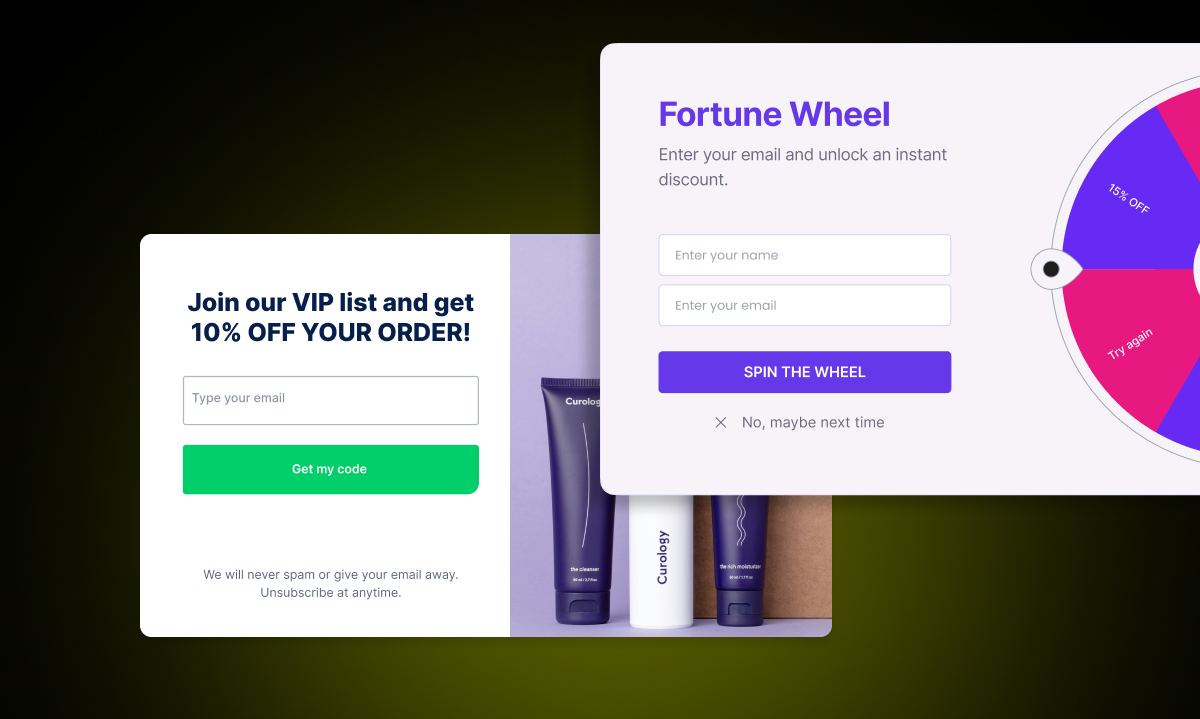
This is the most common sign-up tool, and for good reason — it works. A popup that appears a few seconds after a shopper lands on your site puts the sign-up front and center before they get deep into browsing.
The most effective popups offer something in return: a discount, free shipping on the first order, or early access to new arrivals. A popup without an incentive relies entirely on a shopper wanting to hear from you, which is a harder ask from someone who just arrived.
Time the popup thoughtfully. Showing it immediately on page load is intrusive. Waiting 5-10 seconds, or triggering it after a shopper has scrolled through some content, tends to perform better.
Footer Subscription Form
A footer form is a passive capture point. It won't drive high volume on its own, but it's always there for shoppers who decide they want to stay in touch after exploring your store.
Keep it simple. An email field and a subscribe button is enough. A one-line description of what subscribers get ("New arrivals, exclusive offers, and early access") helps set expectations.
Think of the footer form as a safety net. Some shoppers who browse your store and don't buy will seek out a way to stay connected. The footer form catches those people.
Out-of-Stock Product Pages
This is one of the most underused sign-up opportunities in ecommerce. When a shopper lands on an out-of-stock product page, they're already interested. They searched for the product, clicked through, and are now looking at it. That's a high-intent moment.
A "Notify Me When Available" button captures that intent. The shopper gets an email when the product restocks. You get a warm, interested lead who has already told you exactly what they want.
With Remind Notification, this works automatically. When a product or variant is out of stock, the Notify Me button appears on the product page, collection pages, and even your homepage sections. Shoppers click, enter their email, and receive an automatic alert when the item is back.
The reason this works so well is that the sign-up is motivated by product interest, not an incentive. These subscribers already want something specific from your store. That makes them more likely to buy when they hear from you.
During Checkout
Shopify includes a built-in email marketing opt-in checkbox at checkout. Shoppers who are already buying have already decided they trust you enough to make a purchase. The threshold for opting in to emails at that point is much lower.
Make sure this checkbox is enabled in your Shopify settings. It's easy to overlook, but it's a consistent source of subscribers at a high-trust moment in the customer journey.
Cart Page or Cart Drawer
Some stores add a sign-up prompt to the cart page or cart drawer — the point where a shopper has already added something to their cart but hasn't checked out yet.
This is a natural moment. The shopper is engaged and interested. A simple "Enter your email to save your cart and get updates on your order" captures useful data and gives you a way to follow up if they abandon.
This type of prompt is sometimes built into cart apps. If your store uses a cart drawer app, check whether it supports this functionality.
Blog Posts
If your store has a blog that gets organic traffic, adding a sign-up form within blog content is worth doing. Not a floating banner or a separate popup — an inline form that sits naturally within the post.
Readers who find your blog through search are interested in your topic. A prompt like "Want to hear when we publish new guides? Subscribe below" is relevant and low-pressure.
Not every blog post needs one. Add sign-up forms to posts that get consistent traffic and cover topics closely related to your products.
Product Pages for In-Stock Items
Most stores only think about email capture on out-of-stock pages. But in-stock product pages get far more traffic. Adding a subtle sign-up option — even something like a "Save this product for later" email prompt — can capture shoppers who aren't ready to buy today but might be tomorrow.
This is a less common approach, and it requires more thought to implement well. But for high-traffic product pages, it can add meaningful volume to your list.
What Works Best
The highest-converting sign-up moments share one thing in common: they're relevant to what the shopper is doing at that moment. A popup when someone first lands on your site feels interruptive. A Notify Me button when someone is looking at a sold-out product they want feels genuinely helpful.
The best email list strategy isn't about maximizing the number of sign-up forms on your site. It's about putting the right prompt in front of the right shopper at the right moment. Start with the highest-intent moments — out-of-stock pages and checkout — and build from there.