

How to Send a Follow-Up Email When a Subscriber Doesn't Buy After Restock
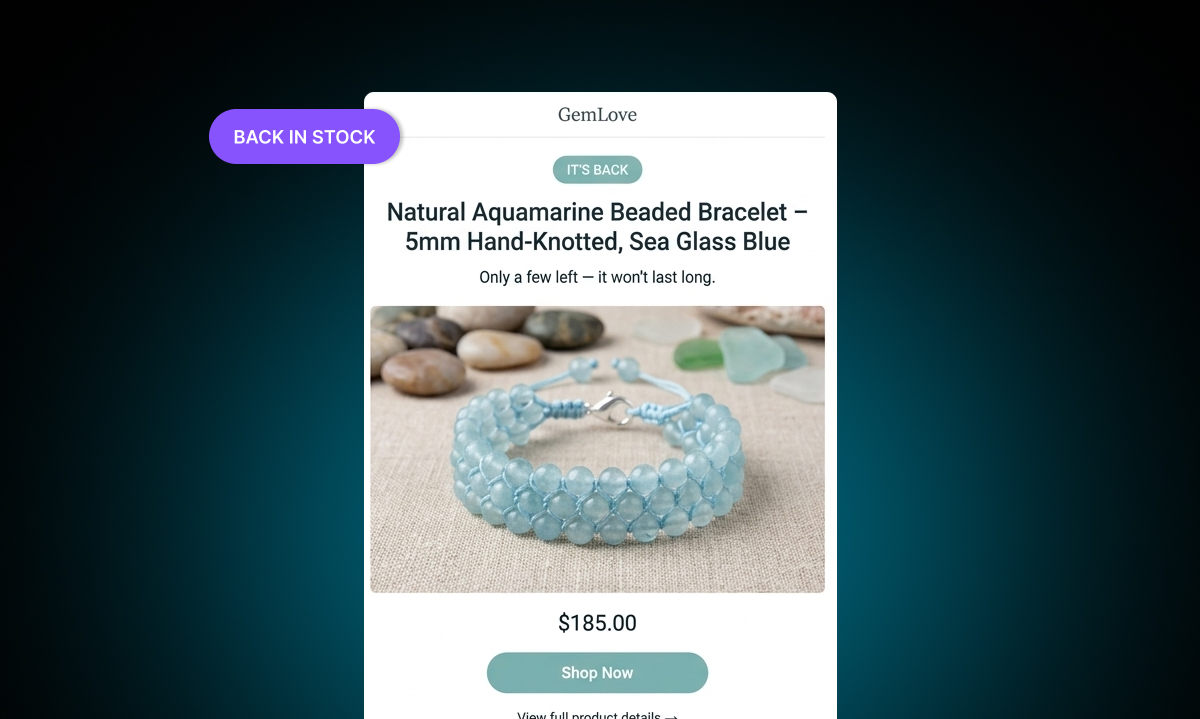
Here's a situation every Shopify store owner with a back-in-stock system eventually faces. A product comes back in stock. The restock notification goes out. Some subscribers buy. A lot don't.
You've done the hard part — you built a waitlist, you restocked the product, you sent the email. But a significant portion of your audience opened the email and didn't act. What now?
The answer is follow-up. Specifically, a sequence of reminder emails that reaches subscribers who didn't purchase after the initial back-in-stock notification. This isn't about being pushy. It's about understanding how people actually make decisions — and meeting them where they are.
Why People Don't Buy on the First Email
Before talking about follow-up strategy, it's worth understanding why subscribers don't buy immediately after a restock email.
It's rarely because they changed their mind. More often it's timing. They opened the email while commuting. They were at work. They meant to come back to it and got distracted. They weren't sure if they should wait for a sale. They wanted to check if it fit their budget this week.
All of these reasons are temporary. The intent is still there. A follow-up email, timed correctly, catches them when the timing is better.
For a deeper look at the full notification flow and how the back-in-stock email fits in, the post on how back-in-stock notifications bring shoppers back to your store is a good starting point.
The Remind Email Sequence
Remind Notification includes a built-in follow-up sequence called Remind Emails. After the initial back-in-stock notification goes out, the app automatically sends a series of follow-ups to subscribers who haven't purchased:
Reminder 1: 24 hours after the restock email
Reminder 2: 3 days later
Reminder 3: 7 days later
Reminder 4: 14 days later
Each reminder is a separate email that you can enable, disable, or customize independently. You're not locked into sending all four — you can choose the ones that make sense for your store and your products.
To manage these, go to Back in stock → Customize → Notifications in the app, select the reminder email you want to configure, and use the checkbox to enable or disable it. You can also customize the content and wording of each one.
What to Write in Each Follow-Up
The first follow-up (24 hours) can be close to the original restock email in tone and content. The subscriber just received the first email — they don't need a dramatically different message. A simple "A quick reminder — [product name] is back in stock" with the same product image and a clear button works well here.
As the sequence progresses, the messaging should shift slightly.
The 3-day reminder is a good place to add a small piece of additional information. Mention a detail about the product they might not have noticed, like what it pairs well with, what makes it different from similar items, or a specific use case that might resonate. This keeps the email from feeling like a repeated nudge and gives the subscriber a reason to re-engage.
The 7-day reminder can introduce a subtle urgency signal — but only if it's honest. If stock is genuinely running low after the restock (which happens with popular products), saying "Stock is moving fast — only a few left" is credible and helpful. If stock is still plentiful, keep the message straightforward. The worst thing you can do here is manufacture urgency that doesn't exist.
The 14-day reminder is the last touch in the sequence. Keep it brief and low-pressure. Something like "This is our last reminder about [product name] — it's still available if you're still interested." This respects the subscriber's time and inbox without being passive about the ask.
Adjusting the Sequence to Your Products
Not every product needs a four-email sequence. Think about what you're selling.
For high-ticket items — furniture, jewelry, premium skincare — a longer decision window makes sense. Shoppers might genuinely need two weeks to decide on a $300 purchase. The full four-email sequence is appropriate here.
For lower-priced everyday items, a shorter sequence is better. Two or three emails over a week is probably enough. If someone hasn't bought a $25 product after three reminders, a fourth one is unlikely to convert them and might feel annoying.
For limited-stock products that sell out quickly, front-load the sequence. Make sure the 24-hour and 3-day emails are on and well-written. If the product sells out again before the later reminders fire, the system will handle that with an "Out of Stock Again" email — more on that below.
The "Out of Stock Again" Safety Net
Here's a scenario that's common with popular products: you restock, notify subscribers, and the product sells out again within a few days — before everyone in the sequence had a chance to buy.
Remind Notification handles this with an automatic "Out of Stock Again" email. When a product that subscribers were notified about goes out of stock again before they've purchased, the app sends them a message letting them know. This keeps them informed and gives them the option to stay on the waitlist for the next restock.
You can enable or disable this email in Back in stock → Customize → Notifications → Out of Stock Again. It's worth keeping on for any product that has a history of selling out quickly after a restock.
Sending Reminders via SMS and WhatsApp
Email isn't the only channel for follow-ups. Remind Notification also supports SMS and WhatsApp alerts. These channels have very different open rates from email — people tend to read texts immediately, while emails can sit unread for days.
For subscribers who opted in to SMS or WhatsApp notifications, reminders sent through these channels can reach them faster and in a more personal context. SMS is charged per segment based on the recipient's country, and WhatsApp is charged per delivered message. Both channels are available to set up directly from the app dashboard.
If your audience is global or skews toward markets where WhatsApp is the dominant messaging app — much of Europe, Latin America, South Asia, and the Middle East — WhatsApp reminders can be especially effective. SMS tends to work better in the US, Canada, and Australia.
What Good Follow-Up Looks Like in Practice
The best follow-up sequences feel helpful, not desperate. The goal isn't to wear down a subscriber until they buy. It's to show up at the right moment with the right message.
A subscriber who gets four relevant, well-written follow-ups over two weeks is more likely to buy and more likely to think positively about your brand than one who gets four identical "don't forget to buy" messages.
Customize each email. Keep the content short and direct. Only add urgency language when it's accurate. And don't be afraid to turn off the fourth email if your products typically sell out again before the 14-day mark — in that case, the Out of Stock Again email is doing more work for you anyway.
The follow-up sequence runs automatically once it's configured. You set it up once, and every future restock triggers the same flow for whoever signed up. That's the value of automation: consistent follow-up without manual effort.