

How to Grow Your Back-in-Stock Subscriber List
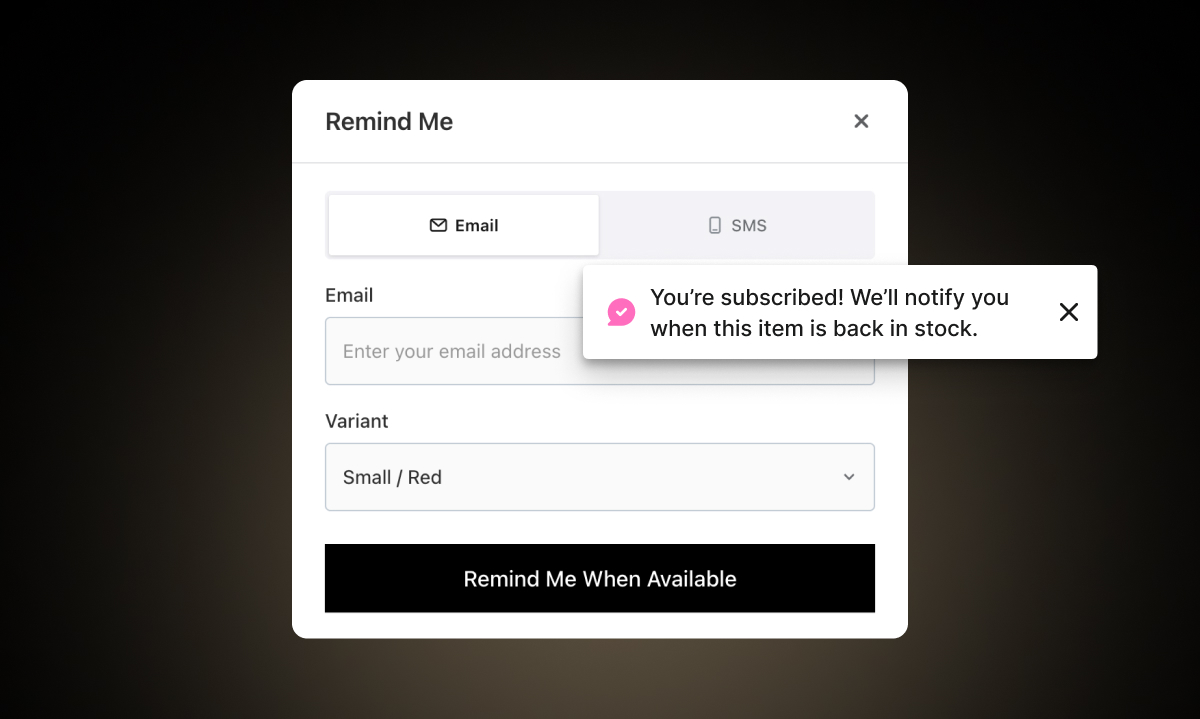
A back-in-stock notification system is only as good as the list behind it. If ten people sign up for a product and you notify ten people, you might recover a handful of sales. If three hundred people sign up, the restock becomes an event.
Most Shopify stores set up back-in-stock notifications and then wait for sign-ups to happen passively. That works to a point. But there are real, practical steps you can take to actively grow your subscriber list — more sign-ups per out-of-stock product, more subscribers per restock, and more revenue recovered when stock returns.
This post covers those steps.
Start With Placement: Is the Button Easy to Find?
Before doing anything else, check whether the Notify Me button is actually visible and in the right place. If shoppers have to look for it, most won't bother.
With Remind Notification, the button appears automatically when a product or variant is out of stock. But it's worth reviewing where it sits on your product page. It should appear close to the area where the Add to Cart button normally shows — not at the bottom of the page, not below a wall of product descriptions.
The button should also appear in three key places beyond just the individual product page:
Collection pages. When shoppers browse a collection and see a sold-out product, the Notify Me button can appear right there — so they don't have to click through to the product page to sign up. This reduces friction significantly. Fewer steps means more sign-ups.
Your homepage. If you feature products in homepage sections, the button can appear for sold-out products displayed there too. Shoppers who come back to your store and see a product they missed can sign up immediately.
Other pages. Remind Notification also lets you add the widget to any page through your Shopify theme editor. Go to Themes → Customize → select the page → add the RN - Back Stock & Low Stock app block. This is useful if you have a custom "Coming Soon" or "Waitlist" page, or if you want to embed a sign-up form in a blog post about a product that's temporarily unavailable.
The more places the button is visible, the more sign-ups you capture. You can read more about managing placement across pages in the best places on your Shopify store to capture email addresses post.
Keep Out-of-Stock Product Pages Live
This is one of the most common missed opportunities. Some stores hide or redirect out-of-stock product pages. This kills two things at once: SEO traffic to that URL and the ability to capture sign-ups from people who find the page.
Keep the page live. Keep it indexed. Shoppers who find an out-of-stock product through search are high-intent. They searched for it, they found it, and now they're looking at it. That's the perfect moment to offer a Notify Me sign-up.
If you're not sure what else to put on an out-of-stock product page to keep shoppers engaged, the post on how to optimize out-of-stock product pages covers this in detail.
Promote Upcoming Restocks Before They Happen
One of the most underused tactics for growing your subscriber list is promoting a product before it's back. If you know a product is coming back in two weeks, you don't have to wait for it to arrive to start collecting sign-ups.
Write a social media post: "One of our most-requested products is coming back soon — sign up to be the first to know." Link directly to the product page where the Notify Me button is live.
Send an email to your general list: "By popular request — [Product Name] is coming back. Sign up on the product page to get notified the moment it's available."
Feature it in your next newsletter with a "Coming Soon" note. Add it to an Instagram story with a link to the product page.
When shoppers know a restock is coming, they're motivated to sign up rather than just hoping to catch the product in stock on a future visit.
Use the Low Stock Message as a Sign-Up Primer
Here's an underappreciated connection between the two main features in Remind Notification. When a product is running low, the low stock message creates urgency. Some shoppers buy immediately. Others still don't — they're on the fence, they want to think about it.
For those shoppers, what happens next matters. If the product sells out before they come back, they hit an empty product page with nothing to do. But if the Notify Me button is already live when they return, they have a way to stay in the loop.
The transition from low stock message → sold out → Notify Me button is seamless in the app. You don't have to manage it manually. But knowing the flow exists is useful for how you think about your products: every low stock warning is a preview of the sign-up moment that's coming.
Give Shoppers More Than One Channel to Choose From
Not every shopper prefers email. Some people's inboxes are so full that a marketing email gets lost. Some people read their texts immediately and barely check email.
Remind Notification supports three notification channels: email, SMS, and WhatsApp. Offering all three gives shoppers more control over how they hear from you — and that choice can be the difference between signing up or not.
SMS works particularly well for fast-moving products where timing is everything. A restock notification that arrives as a text message is more likely to prompt immediate action than one that sits in an inbox until the shopper gets around to checking email.
WhatsApp is especially effective for global stores. If a meaningful share of your customers are based in Europe, Latin America, India, Southeast Asia, or the Middle East — regions where WhatsApp is widely used as a primary messaging app — enabling WhatsApp notifications can meaningfully increase your reach and conversion rates.
More notification options also tend to increase sign-up rates. When shoppers see they can choose how to be contacted rather than being defaulted into email, they feel more in control. That's a small but real factor in whether they complete the sign-up.
Mention Your Waitlist in Your Marketing
Many stores run back-in-stock alerts in the background and never tell anyone about them. Shoppers have to discover the Notify Me button themselves. You can do better than that.
Mention it explicitly:
In your email footer: "Did you miss a product? You can sign up to be notified when it's back — just visit the product page."
In social media captions on sold-out product posts: "Sold out — for now. Hit the Notify Me button on the product page and we'll let you know the moment it's back."
In your bio or link tree: "Sign up to be notified when sold-out products return."
In customer service replies: "I'm sorry that size is out of stock — you can sign up for a restock alert directly on the product page and we'll email you as soon as it's available."
These are all zero-cost ways to drive more sign-ups. You already have the system in place. You just need to make sure people know it exists.
Track Which Products Are Getting the Most Interest
Remind Notification's reporting dashboard shows you how many people have signed up for each product and variant. This data is worth reviewing regularly — not just to decide what to restock, but to understand which products are driving the most sign-up activity.
If one product has 150 sign-ups and another has 8, that tells you where your audience's interest is concentrated. You can use that to focus your promotion efforts, decide what to restock first, and even inform future product decisions.
The "High Potential Revenue" tab in the app shows you products ranked by restock request volume and estimated revenue opportunity. Use it as your guide for where to prioritize both inventory and sign-up growth efforts.